3D game environment design: from blockout to atmosphere, modular kits and isometric scenes
Producing 3D environments for games: blockout and scale, modular pieces, trim sheets and atlases, set dressing, lighting and atmosphere, isometric/diorama scenes, optimisation (draw calls, LODs, lightmaps) and Unity/Unreal delivery. With the Hell 06 and isometric sci-fi room examples.
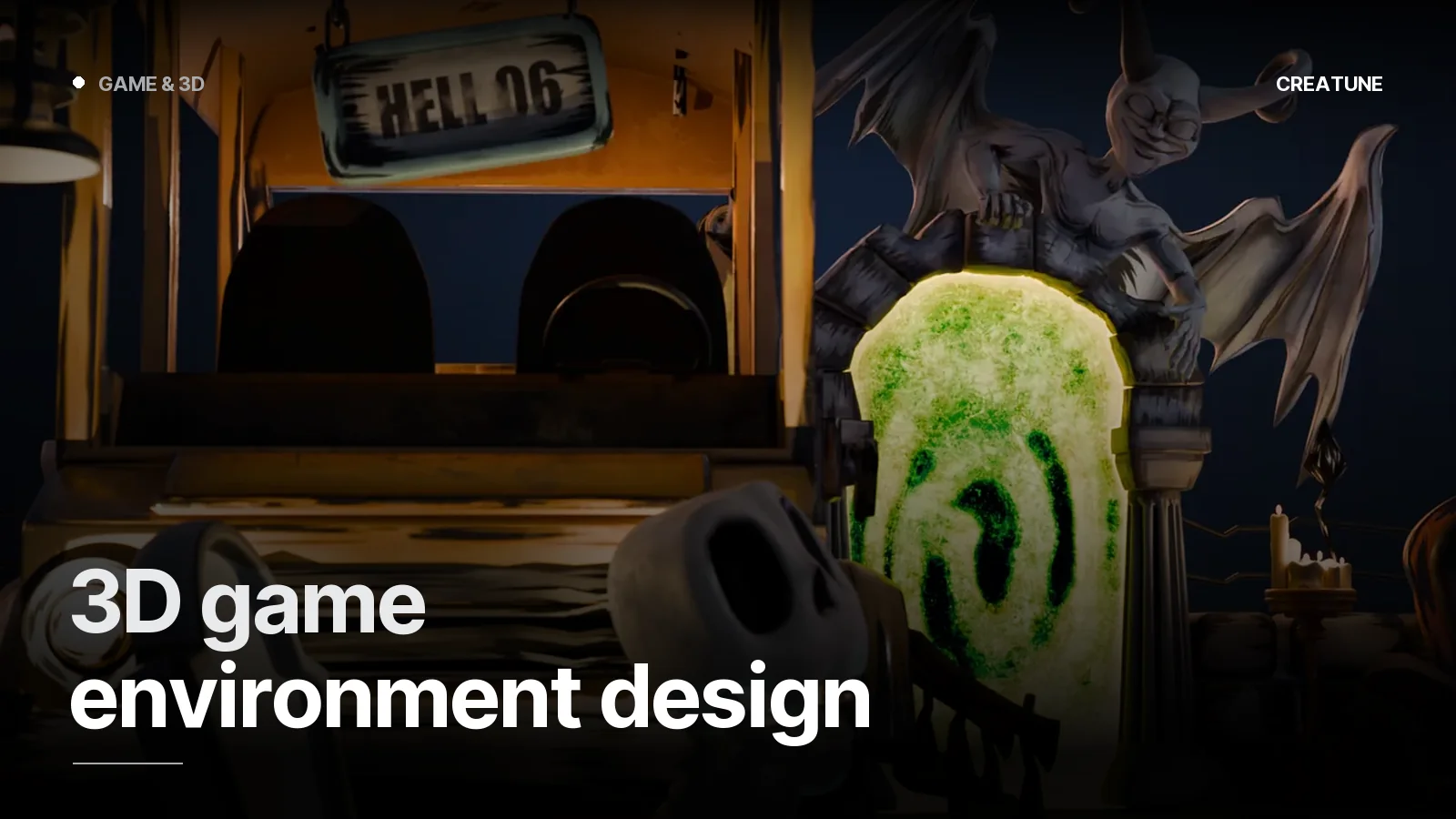
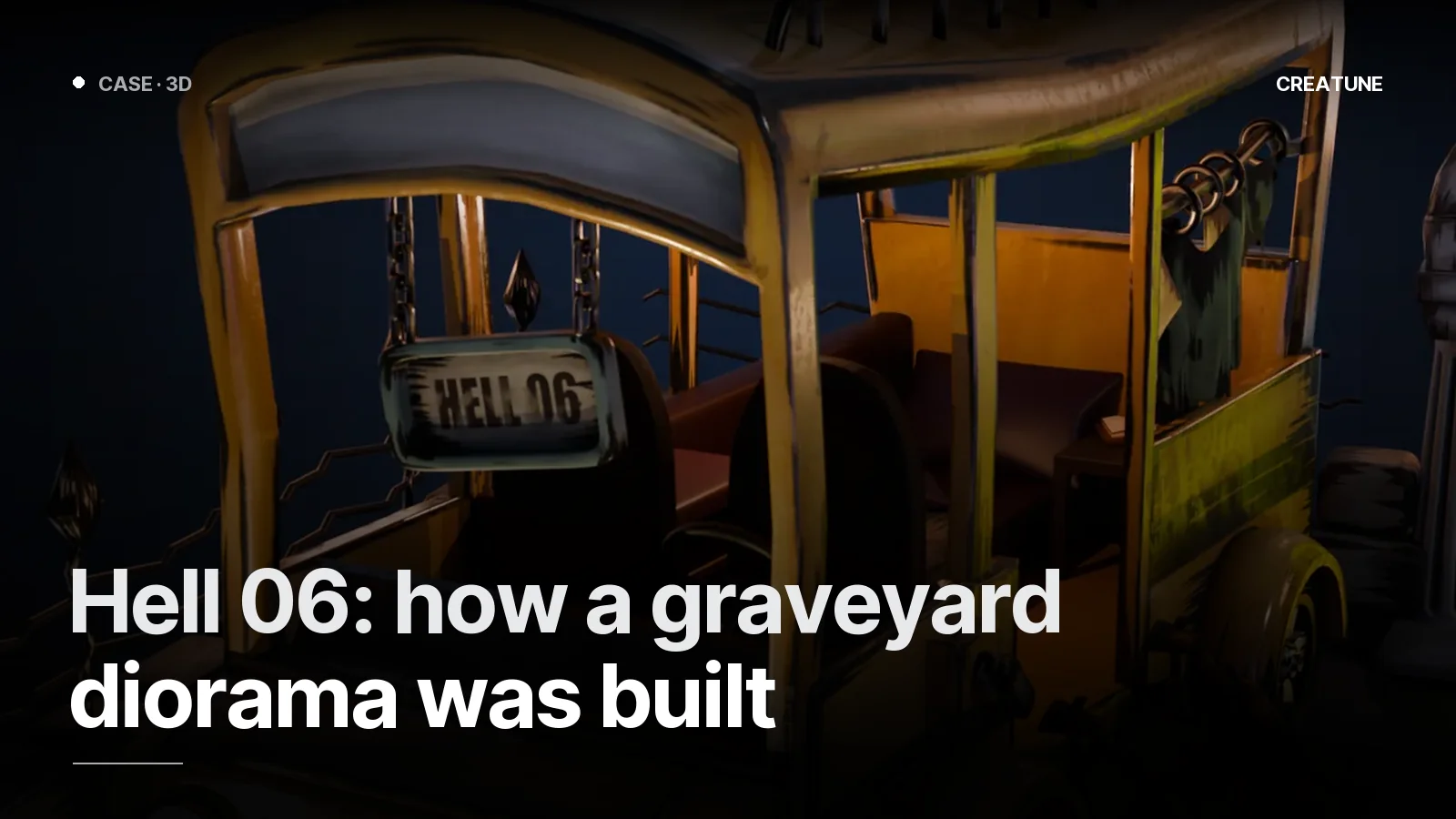
The character represents the player; the environment is the game. Players spend most of their time inside it — if the scale is wrong, the light flat, the textures visibly repeating, no character can save it. The Hell 06 graveyard diorama and the isometric sci-fi room were produced with the process in this post.
Process
- Brief. Game genre and camera (FPS, third person, isometric, side-on), style reference, engine, platform, piece list. Asset ordering guide.
- Blockout. Grey boxes; scale (door 2.1 m, ceiling 3 m, character 1.8 m), circulation, camera angles. Walked through in the engine. Approval happens here.
- Modular pieces. Wall / floor / corner / door / pillar; grid 1 m or 50 cm, pivot at the corner.
- Props. Two classes: hero (seen up close, own textures) and filler (atlas-textured). Hard-surface props.
- Textures. Trim sheet + atlas; separate PBR sets for hero pieces. What is PBR.
- Set dressing. Placing props: details that tell a story (a toppled cauldron, a half-eaten meal), light that guides.
- Lighting and atmosphere. Key, fill, rim; fog / particles / post-process. The portal light and sky in Hell 06 belong to this step.
- Optimisation + delivery. Draw calls, LODs, lightmap UVs, collision; FBX/GLB, in-engine screenshot.
Modular kit logic
| Piece | Size (1 m grid) | Note |
|---|---|---|
| Straight wall | 1×3 m, 2×3 m, 4×3 m | three widths are enough |
| Inner / outer corner | 1×3 m | pivot at the corner |
| Door / window wall | 2×3 m | opening centred |
| Floor | 1×1, 2×2, 4×4 m | one texture, rotatable |
| Pillar / beam | 0.5×3 m | hides module joins |
| Trim pieces | skirting, cornice | hide seams |
With one trim sheet (2K) plus one atlas (2K) the whole kit stays in 2 materials.
Isometric and diorama scenes
With a fixed camera the rules change:
- Unseen faces are deleted (back walls, undersides)
- Shadows and AO are baked; real-time lighting kept minimal
- The whole scene on one atlas — the isometric room is a single material
- Composition first: modelling does not start until the camera angle is locked
A diorama (like Hell 06) is ideal for portfolio, menu screens, promo images and concept scenes that convey "the feel of the game".
Optimisation checklist
- Draw calls: material count target per scene (mobile < 20, PC < 100)
- LODs: 2 levels on distant modules
- Lightmap UVs: second channel, no overlaps
- Collision: simple boxes / capsules; UCX_ (Unreal)
- Texel density: 5–10 px/cm (PC), 2–4 (mobile), consistent across the scene
- Closed volumes for occlusion culling
Delivery
FBX/GLB (by engine), texture sets in both packings (ORM / Metallic-Smoothness), a sample scene set up in the engine (Unity scene / Unreal map), README.
For an environment project, send the piece list and references on WhatsApp or by email. All game work: Game & 3D.
Frequently asked
1.How does game environment design start?
With a blockout: grey boxes establish scale, circulation and camera angles, and it is walked through inside the engine. After approval come modular pieces, props, textures and lighting. Skip the blockout and scale errors surface at the very end, when everything gets rebuilt.
2.What is the difference between a modular kit and a one-piece environment?
A modular kit (walls, floors, corners, doors) snaps to a grid and lets the level designer build unlimited combinations; a one-piece environment (diorama, hero scene) is built by hand for a single composition. Game levels are modular; promo, portfolio and menu scenes are one-piece.
3.How is an isometric game environment optimised?
Because the camera is fixed, unseen faces are deleted, textures are gathered into one atlas, shadows are baked and the scene stays in 1–2 materials. That is how it looks highly detailed even on mobile.
4.What sets the price of a 3D environment?
Piece count (modules + props), style (stylised / realistic), texture resolution, lighting/atmosphere needs, target platform and delivery time. Send the piece list and references on WhatsApp for a quote within 24 hours.